文章目录
- 1 开发两个问卷组件
- 1.1 Title组件
- 1.2 Input组件
- 1.3 画布静态展示TItle和Input
- 2 Ajax获取问卷数据,并存储到Redux store
- 2.1 API接口
- 2.2 组件列表存储到Redux store统一管理
- 2.3 重构useLoadQuestionData
- 3 在画布显示问卷列表,点击可选中
- 3.1 Redux获取组件列表
- 3.2 根据Redux组件列表渲染组件
- 3.3 点击选择组件,共享selectedId
- 关于
1 开发两个问卷组件
1.1 Title组件
数据类型和默认值,interface.ts代码如下:
export type QuestionTitlePropsType = {text?: string;level?: 1 | 2 | 3 | 4 | 5;isCenter?: boolean;
};export const QuestionTitleDefaultProps: QuestionTitlePropsType = {text: "一行标题",level: 1,isCenter: false,
};
组件Component.tsx代码如下所示:
import { FC } from "react";
import { Typography } from "antd";
import { QuestionTitlePropsType, QuestionTitleDefaultProps } from "./interface";const { Title } = Typography;const QuestionTitle: FC<QuestionTitlePropsType> = (props: QuestionTitlePropsType,
) => {const {text = "",level = 1,isCenter = false,} = { ...QuestionTitleDefaultProps, ...props };const genFontSize = (level: number) => {if (level === 1) {return "24px";} else if (level === 2) {return "20px";} else if (level === 3) {return "16px";} else if (level === 4) {return "12px";} else {return "16px";}};return (<Titlelevel={level}style={{textAlign: isCenter ? "center" : "start",marginBottom: "0",fontSize: genFontSize(level),}}>{text}</Title>);
};export default QuestionTitle;
1.2 Input组件
数据类型和默认值,interface.ts代码如下:
export type QuestionInputPropsType = {title?: string;placeholder?: string;
};export const QuestionInputDefaultProps: QuestionInputPropsType = {title: "输入框标题",placeholder: "请输入...",
};
组件Component.tsx代码如下所示:
import { FC } from "react";
import { Typography, Input } from "antd";
import { QuestionInputPropsType, QuestionInputDefaultProps } from "./interface";const { Paragraph } = Typography;const QuestionInput: FC<QuestionInputPropsType> = (props: QuestionInputPropsType,
) => {const { text = "", placeholder = "" } = {...QuestionInputDefaultProps,...props,};return (<div><Paragraph strong>{text}</Paragraph><div><Input placeholder={placeholder}></Input></div></div>);
};export default QuestionInput;
1.3 画布静态展示TItle和Input
组件EditCanvas.tsx代码如下:
import { FC } from "react";
import styles from "./EditCanvas.module.scss";import { Spin } from "antd";import QuestionTitle from "@/components/QuestionComponents/QuestionTitle/Component";
import QuestionInput from "@/components/QuestionComponents/QuestionInput/Component";type PropsType = {loading: boolean;
};const EditCanvas: FC<PropsType> = ({ loading }) => {if (loading) {return (<div style={{ textAlign: "center", marginTop: "24px" }}><Spin /></div>);}return (<div className={styles.canvas}><div className={styles["component-wrapper"]}><div className={styles.component}><QuestionTitle /></div></div><div className={styles["component-wrapper"]}><div className={styles.component}><QuestionInput /></div></div></div>);
};export default EditCanvas;
样式EditCanvas.module.scss代码如下:
.canvas {min-height: 100%;background-color: #fff;overflow: hidden;
}.component-wrapper {margin: 12px;border: 1px solid #fff;padding: 12px;border-radius: 3px;&:hover {border-color: #d9d9d9;}
}.component {pointer-events: none; // 屏蔽鼠标行为,组件不让被点击到
}
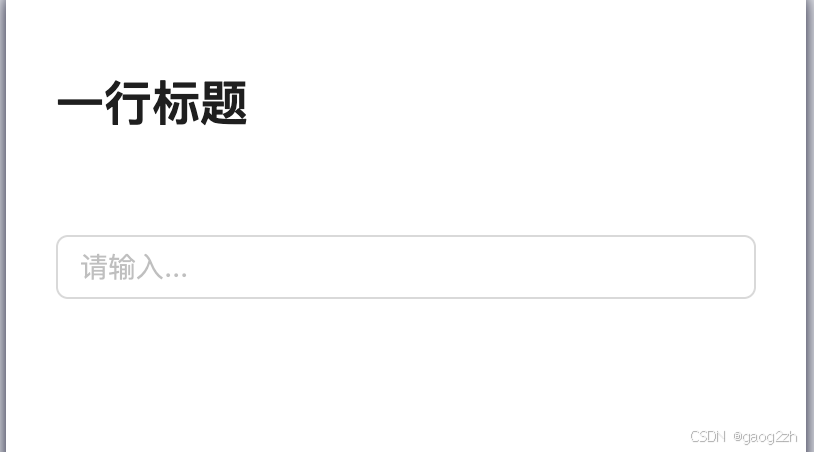
效果如下图所示:
2 Ajax获取问卷数据,并存储到Redux store
2.1 API接口
获取问卷详情API接口如下:
{// 获取问卷信息url: '/api/question/:id',method: 'get',response() {return {errno: 0,data: {id: Random.id(),title: Random.ctitle(),componentList: [{fe_id: Random.id(),type: 'questionTitle',title: '标题',props: {text: '个人信息调研',level: 1,isCenter: false}},{fe_id: Random.id(),type: 'questionInput',title: '输入框',props: {text: '你的姓名',placeholder: '请输入姓名...',}},{fe_id: Random.id(),type: 'questionInput',title: '输入框',props: {text: '你的电话',placeholder: '请输入电话...',}},]},}}}
2.2 组件列表存储到Redux store统一管理
src/store/componentsReducer/index.ts代码如下:
import { createSlice, PayloadAction } from "@reduxjs/toolkit";import { ComponentPropsType } from "@/components/QuestionComponents";export type ComponentInfoType = {fe_id: string;type: string;title: string;props: ComponentPropsType;
};export type ComponentsStateType = {componentList: Array<ComponentInfoType>;
};const INIT_STATE: ComponentsStateType = {componentList: [],// 其他扩展
};export const componentsSlice = createSlice({name: "components",initialState: INIT_STATE,reducers: {// 重置所有组件resetComponents(state: ComponentsStateType,action: PayloadAction<ComponentsStateType>,) {return action.payload;},},
});export const { resetComponents } = componentsSlice.actions;
export default componentsSlice.reducer;
组件属性类型src/components/QuestionComponents/index.ts代码如下:
import { FC } from "react";import QuestionInputConf, { QuestionInputPropsType } from "./QuestionInput";
import QuestionTitleConf, { QuestionTitlePropsType } from "./QuestionTitle";// 各个组件属性类型
export type ComponentPropsType = QuestionInputPropsType &QuestionTitlePropsType;// 统一组件配置
export type ComponentConfType = {title: string;type: string;Component: FC<ComponentPropsType>;defaultProps: ComponentPropsType;
};// 全部组件配置列表
const componentConfList: ComponentConfType[] = [QuestionInputConf,QuestionTitleConf,
];// 根据组件类型获取组件
export function getComponentConfByType(type: string) {return componentConfList.find((c) => c.type === type);
}
2.3 重构useLoadQuestionData
代码如下所示:
import { useParams } from "react-router-dom";
import { useRequest } from "ahooks";
import { getQuestionApi } from "@/api/question";
import { useEffect } from "react";
import { useDispatch } from "react-redux";
import { resetComponents } from "@/store/componentsReducer";/*** 获取带加载状态的问卷信息* @returns loading状态,问卷信息*/
function useLoadQuestionData() {const { id = "" } = useParams();const dispatch = useDispatch();// ajax 加载const { data, loading, error, run } = useRequest(async (id: string) => {if (!id) {throw new Error("没有问卷 id");}const data = await getQuestionApi(id);return data;},{manual: true,},);// 根据获取的data,设置storeuseEffect(() => {if (!data) {return;}const { componentList = [] } = data;// componentList 存入redux storedispatch(resetComponents({ componentList }));// eslint-disable-next-line react-hooks/exhaustive-deps}, [data]);// 根据id变化,加载问卷数据useEffect(() => {run(id);// eslint-disable-next-line react-hooks/exhaustive-deps}, [id]);return { loading, error };
}export default useLoadQuestionData;
3 在画布显示问卷列表,点击可选中
3.1 Redux获取组件列表
自定义hook-useGetComponentInfo.ts 代码如下所示:
import { StateType } from "@/store";
import { useSelector } from "react-redux";
import { ComponentsStateType } from "@/store/componentsReducer";function useGetComponentInfo() {const components = useSelector<StateType>((state) => state.components,) as ComponentsStateType;const { componentList = [] } = components;return { componentList };
}export default useGetComponentInfo;
3.2 根据Redux组件列表渲染组件
EditCanvas.tsx代码如下所示:
import { FC } from "react";
import styles from "./EditCanvas.module.scss";import { Spin } from "antd";// import QuestionTitle from "@/components/QuestionComponents/QuestionTitle/Component";
// import QuestionInput from "@/components/QuestionComponents/QuestionInput/Component";
import useGetComponentInfo from "@/hooks/useGetComponentInfo";
import { getComponentConfByType } from "@/components/QuestionComponents";
import { ComponentInfoType } from "@/store/componentsReducer";type PropsType = {loading: boolean;
};function genComponent(componentInfo: ComponentInfoType) {const { type, props } = componentInfo;const componentConf = getComponentConfByType(type);if (componentConf == null) {return null;}const { Component } = componentConf;return <Component {...props} />;
}const EditCanvas: FC<PropsType> = ({ loading }) => {const { componentList = [] } = useGetComponentInfo();if (loading) {return (<div style={{ textAlign: "center", marginTop: "24px" }}><Spin /></div>);}return (<div className={styles.canvas}>{componentList.map((c) => {const { fe_id } = c;return (<div key={fe_id} className={styles["component-wrapper"]}><div className={styles.component}>{genComponent(c)}</div></div>);})}{/* <div className={styles["component-wrapper"]}><div className={styles.component}><QuestionTitle /></div></div><div className={styles["component-wrapper"]}><div className={styles.component}><QuestionInput /></div></div> */}</div>);
};export default EditCanvas;
3.3 点击选择组件,共享selectedId
componentsReducer/index.ts 添加selectId及修改,代码如下:
import { createSlice, PayloadAction } from "@reduxjs/toolkit";
import { produce } from "immer";
import { ComponentPropsType } from "@/components/QuestionComponents";export type ComponentInfoType = {fe_id: string;type: string;title: string;props: ComponentPropsType;
};export type ComponentsStateType = {selectedId: string;componentList: Array<ComponentInfoType>;
};const INIT_STATE: ComponentsStateType = {selectedId: "",componentList: [],// 其他扩展
};export const componentsSlice = createSlice({name: "components",initialState: INIT_STATE,reducers: {// 重置所有组件resetComponents(state: ComponentsStateType,action: PayloadAction<ComponentsStateType>,) {return action.payload;},// 切换选中组件changeSelectedId: produce((draft: ComponentsStateType, action: PayloadAction<string>) => {draft.selectedId = action.payload;}),},
});export const { resetComponents, changeSelectedId } = componentsSlice.actions;
export default componentsSlice.reducer;
新增选中 css 样式,EditCanvas.module 新增代码如下所示:
.selected {border-color: #1890ff !important;
}
组件点击选择,点击画布空白处取消,阻止默认冒泡行为,EditCanvas.tsx代码如下:
import { FC } from "react";
import styles from "./EditCanvas.module.scss";import { Spin } from "antd";// import QuestionTitle from "@/components/QuestionComponents/QuestionTitle/Component";
// import QuestionInput from "@/components/QuestionComponents/QuestionInput/Component";
import useGetComponentInfo from "@/hooks/useGetComponentInfo";
import { getComponentConfByType } from "@/components/QuestionComponents";
import { ComponentInfoType } from "@/store/componentsReducer";
import { useDispatch } from "react-redux";
import classNames from "classnames";
import { changeSelectedId } from "@/store/componentsReducer";type PropsType = {loading: boolean;
};function genComponent(componentInfo: ComponentInfoType) {const { type, props } = componentInfo;const componentConf = getComponentConfByType(type);if (componentConf == null) {return null;}const { Component } = componentConf;return <Component {...props} />;
}const EditCanvas: FC<PropsType> = ({ loading }) => {const { componentList = [], selectedId } = useGetComponentInfo();const dispatch = useDispatch();// 获取当前选中的组件function handleClick(e: React.MouseEvent<HTMLDivElement>, fe_id: string) {e.stopPropagation();dispatch(changeSelectedId(fe_id));}if (loading) {return (<div style={{ textAlign: "center", marginTop: "24px" }}><Spin /></div>);}return (<div className={styles.canvas}>{componentList.map((c) => {const { fe_id } = c;// 拼接 class nameconst wrapperDefaultClassName = styles["component-wrapper"];const selectedClassName = styles.selected;const wrapperClassName = classNames({[wrapperDefaultClassName]: true,[selectedClassName]: fe_id === selectedId,});return (<div key={fe_id} className={wrapperClassName} onClick={(e) => handleClick(e, fe_id)}><div className={styles.component}>{genComponent(c)}</div></div>);})}{/* <div className={styles["component-wrapper"]}><div className={styles.component}><QuestionTitle /></div></div><div className={styles["component-wrapper"]}><div className={styles.component}><QuestionInput /></div></div> */}</div>);
};export default EditCanvas;
默认selectId为组件列表第一个,没有不选中,useLoadQuestionData.ts代码如下所示:
import { useParams } from "react-router-dom";
import { useRequest } from "ahooks";
import { getQuestionApi } from "@/api/question";
import { useEffect } from "react";
import { useDispatch } from "react-redux";
import { resetComponents } from "@/store/componentsReducer";/*** 获取带加载状态的问卷信息* @returns loading状态,问卷信息*/
function useLoadQuestionData() {const { id = "" } = useParams();const dispatch = useDispatch();// ajax 加载const { data, loading, error, run } = useRequest(async (id: string) => {if (!id) {throw new Error("没有问卷 id");}const data = await getQuestionApi(id);return data;},{manual: true,},);// 根据获取的data,设置storeuseEffect(() => {if (!data) {return;}const { componentList = [] } = data;// 获取默认的 selectedIdlet selectedId = "";if (componentList.length > 0) {selectedId = componentList[0].fe_id;}// componentList 存入redux storedispatch(resetComponents({ componentList, selectedId }));// eslint-disable-next-line react-hooks/exhaustive-deps}, [data]);// 根据id变化,加载问卷数据useEffect(() => {run(id);// eslint-disable-next-line react-hooks/exhaustive-deps}, [id]);return { loading, error };
}export default useLoadQuestionData;
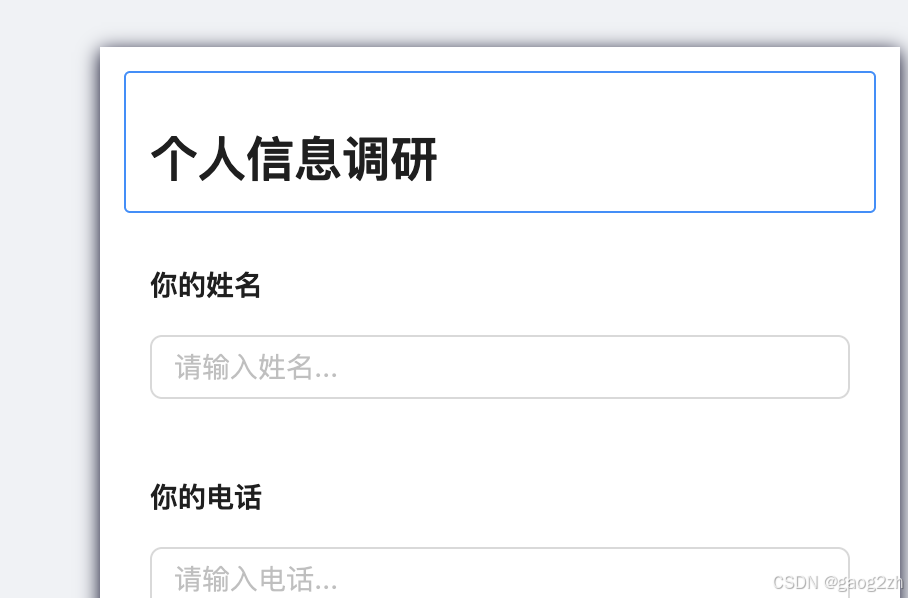
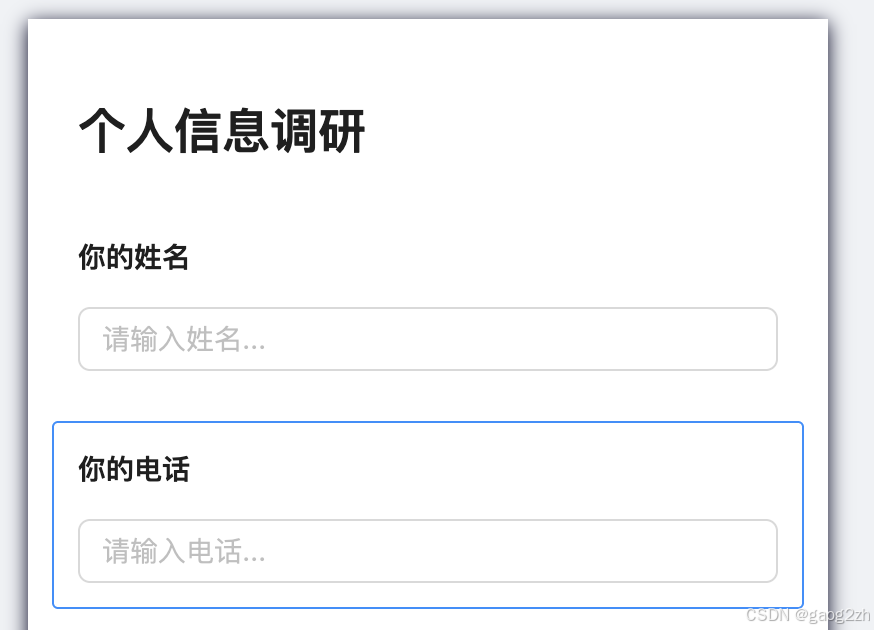
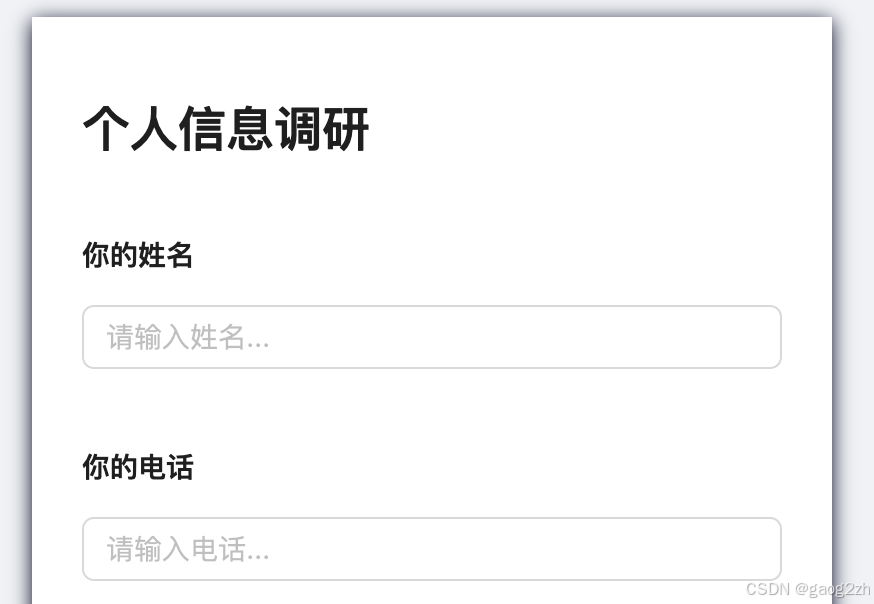
效果如下图所示:
关于
❓QQ:806797785
⭐️仓库地址:https://gitee.com/gaogzhen
⭐️仓库地址:https://github.com/gaogzhen
[1]react官网[CP/OL].
[2]Redux官网[CP/OL].


)


技术详解)


